




Release notes 2026.08: calls in, stories out
VSI is now Krans. This note went out in August 2026 under the old name.
Your meetings now land in VSI by themselves, and every conversation with the same company becomes one running story. This is the first of our monthly notes: what we shipped, and how to use it. Everything here is live in your venture.
01 / 04 · Your conversations, organised into stories
Until now, every call lived on its own. Threads groups all your conversations with the same company into one thread and writes the story of how that relationship is progressing. Each thread is one relationship, a deal, a partnership, a hire or an investor conversation, moving through its own pipeline. Give a thread an owner and see the whole board at a glance.
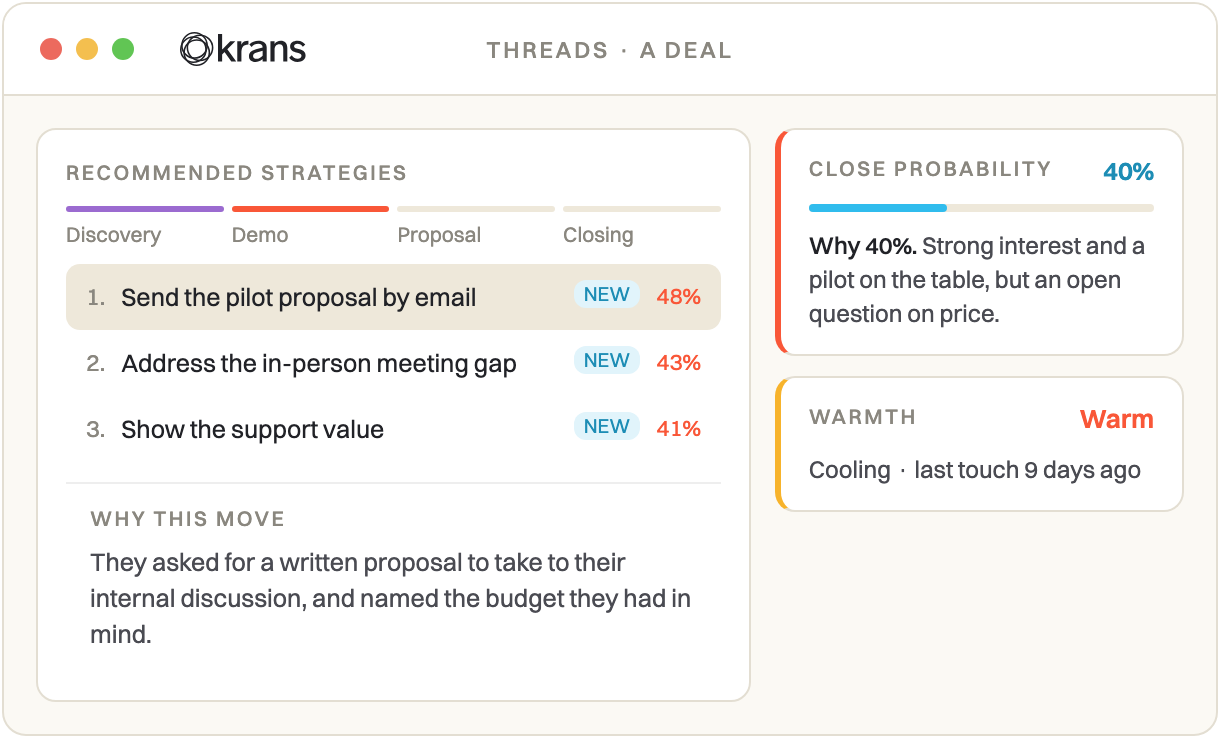
How to use it: open Threads in the top nav. Every company you've spoken with is already a thread. Open one to read its story.
02 / 04 · Get everything into VSI
The more VSI hears, the sharper it gets. This month we added Granola: connect once and your meetings sync in automatically. It sits alongside Microsoft Teams, Google Meet, Read.ai and transcript upload. And you can now connect your Notion, so VSI learns from your docs, not just your calls. Everything flows through one pipeline: calls become learnings, learnings become signals, signals become the context you run your venture on.
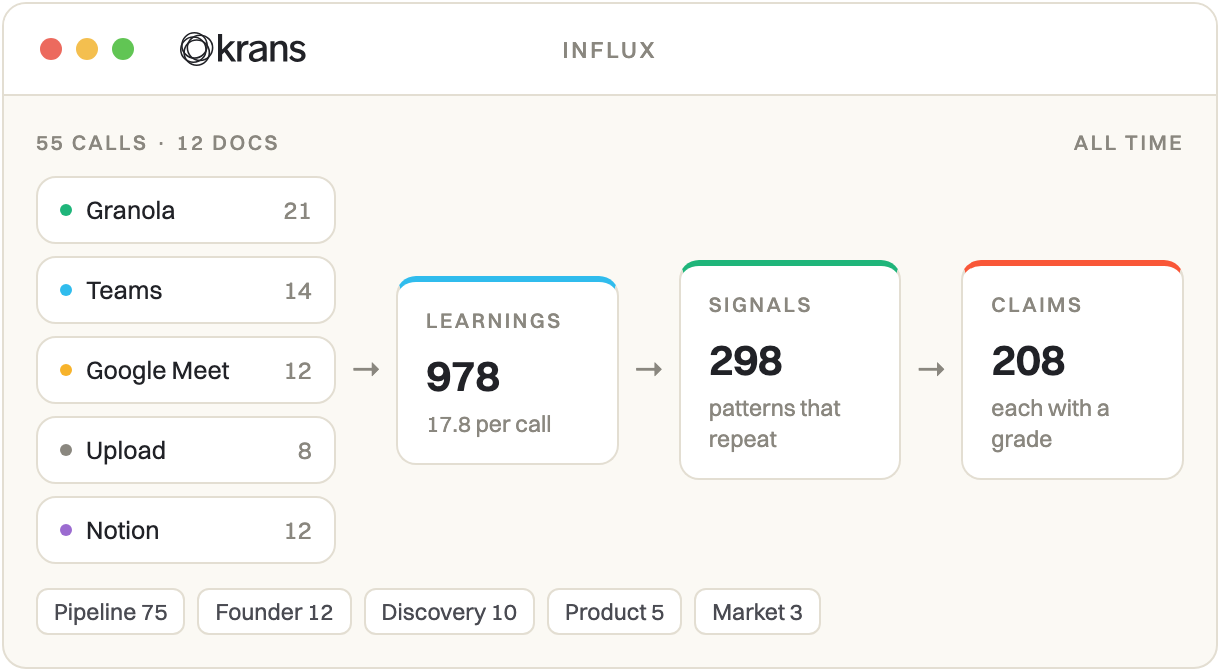
How to use it: go to your account, then Connections, and connect what you use. Granola and Microsoft Teams are the newest.
03 / 04 · Your venture brain, inside Claude
VSI has an MCP connection, a simple way to plug your venture's intelligence straight into Claude, or any tool that speaks MCP. Ask questions about your own venture in plain language and get answers grounded in your real calls, with sources. Search every conversation. Pull your strongest signals. Ask where each deal stands. It turns VSI from a place you visit into something you can query from wherever you already work.
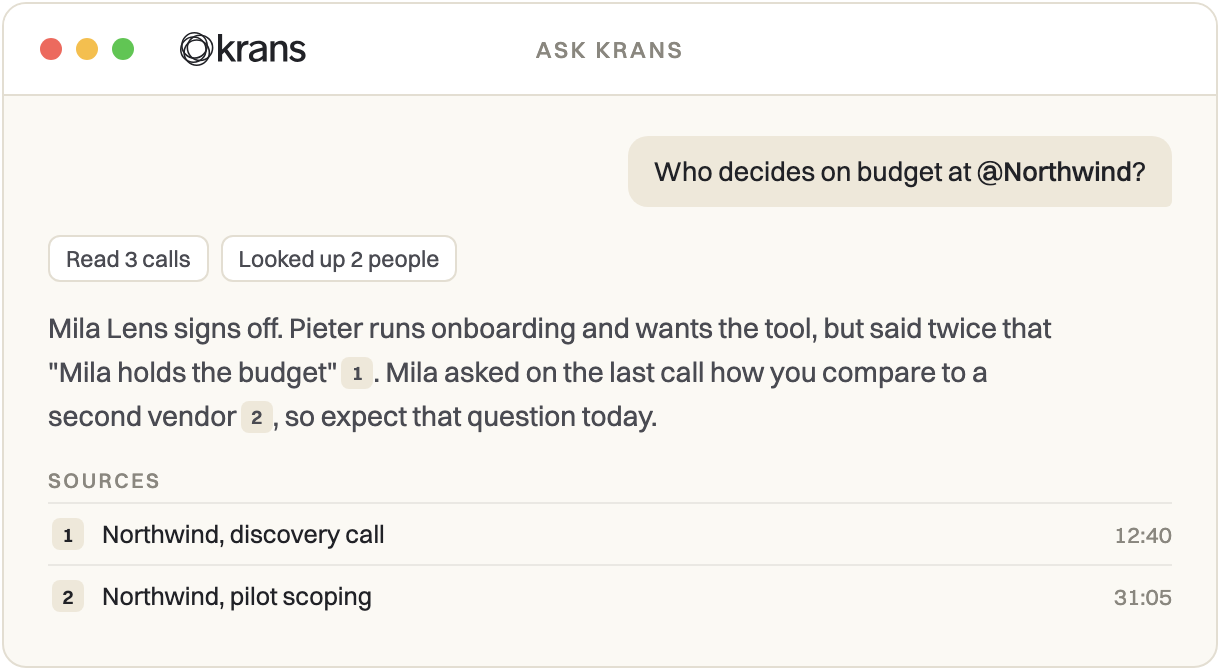
How to use it: in VSI, go to your account, then Connections, and copy your MCP connection. In Claude, open Settings, then Connectors, and add it as a custom connector. Then just ask.
04 / 04 · We cleared out the clutter
A few things got simpler this month. Reflections now live inside each call, where they belong; the separate aggregated overview is gone. Knowledge is off for now while we build something bigger in its place. "Network" is now called "Contacts". And the theme is just Light and Dark. Less to navigate, clearer to read.
Fixes
- A confirmed win no longer reads as a miss in reflections
- The journey stops freezing when you switch phase
- Coaching and training calls stay out of your signals
- Video call thumbnails generate again
- Contacts keep their roles and companies
- Steadier speaker identification
Superpowers in this article
See what Krans reads in your own ventures.